Why Mid-Market Companies Leave Enterprise LMS Platforms
Enterprise learning management systems like Cornerstone and Docebo are built for 10,000-person workforces, leaving mid-market companies trapped with per-user pricing that climbs unpredictably and features they never use. Mid-market teams typically switch to right-sized platforms that handle compliance and course delivery without the enterprise implementation project. This page breaks down why companies leave big-name LMS platforms and what they choose instead.
Mid-market companies keep landing in the same trap: they buy an enterprise learning management system built for a 10,000-person workforce, then spend months and five figures making it work for 800 people. If your renewal quote jumped again and you still can't get a compliance report without filing a ticket, you are the exact buyer this page is for.
Key takeaways
- Mid-market companies usually leave platforms like Cornerstone, Docebo, and Absorb because of per-user pricing that punishes growth and implementation timelines measured in months, not the software itself.
- A good mid-market LMS covers the features you actually use (SCORM and xAPI courses, compliance tracking, automated reminders, audit-ready reporting) without the enterprise professional-services bill attached.
- WestNet LMS starts at $427/month for up to 500 users with AI course creation and compliance tracking included, and sites launch the same day a client requests them.
- Before switching, list the three reports and two integrations you use weekly. Most teams find they rely on a small slice of what they're paying for.
Why do mid-market companies outgrow the big-name LMS platforms?
Mid-market companies outgrow enterprise platforms because the pricing and complexity were designed for a buyer they aren't. Cornerstone, Docebo, and Totara are built to serve organizations with dedicated LMS administrators, multi-year contracts, and professional-services budgets. A company with 300 to 1,500 employees rarely has any of that.
The two complaints I hear most often are cost and bloat, and they're connected.
On cost, the sticker price is only part of it. Enterprise LMS deals frequently add implementation fees, a required onboarding package, and per-user tiers that spike the moment you cross a seat threshold. You hire 40 people, cross into the next band, and your annual price climbs by a number nobody flagged at signing.
On bloat, you pay for modules you never turn on. Learning marketplaces, skills-graph AI, and extended-enterprise portals sound great in the demo. Six months in, your admins are using maybe a quarter of the platform and still fighting the interface to pull a certification report for an auditor. The weight of features you don't use is its own hidden tax, because every one of them is another thing to configure, maintain, and train staff around.
Here's the claim that matters: for most mid-market companies, the expensive part of an enterprise LMS is never the software license. It's the implementation timeline and the ongoing admin labor the software demands. A platform that takes four months and a consultant to stand up costs you long before the first invoice clears.
What do mid-market companies switch to instead?
They switch to a right-sized LMS that includes the compliance and authoring features they actually use at a flat, predictable price, without the enterprise implementation project attached. The alternatives most teams evaluate fall into three groups.
| Option | Who it fits | What to watch for |
|---|---|---|
| Lightweight LMS (TalentLMS, LearnUpon) | Small teams, simple course delivery | Compliance reporting and audit trails can be thin; costs climb with add-ons |
| Enterprise LMS (Cornerstone, Docebo, Totara) | 5,000+ employees, dedicated L&D team | Long implementation, per-user pricing, modules you won't use |
| Mid-market LMS (WestNet LMS, Absorb, Tovuti) | 300 to 2,000 employees, compliance-heavy | Confirm SCORM, xAPI, and HRIS support match your stack |
The sweet spot for a mid-market company is a platform that handles compliance and certification tracking seriously, builds courses fast, and doesn't require a dedicated administrator just to keep running. That's the category WestNet LMS was built for, and it's why we support SCORM, xAPI, AICC, and cmi5 out of the box rather than treating standards compliance as a premium tier.
If you're earlier in the evaluation and want a structured way to score options, our guide on how to choose a learning management system walks through the criteria that actually separate platforms.
How much should a mid-market LMS actually cost?
A mid-market LMS should cost you a flat monthly fee you can predict a year out, not a per-seat quote that moves every time you hire. WestNet's Premier Plan starts at $427/month and covers up to 500 users, with AI course creation, compliance tracking, gamification, and integrations all included rather than sold as upgrades.
Compare that to how enterprise pricing usually works. Many large platforms quote per active user per month, then layer on an implementation fee that can run into five figures before a single employee logs in. For a company that trains 400 people, those two line items alone can exceed what a mid-market platform charges for an entire year.
Two things to check on any quote you compare:
- Is implementation a separate line? With WestNet, administrator training is included and sites launch the same day a client requests them, so there's no multi-month project cost hiding behind the license.
- What triggers a price increase? Flat tiers (up to a user count) protect you from growth surprises. Per-user models don't.
For organizations past the 500-user mark or running multiple regions, the Enterprise Plan is custom-quoted. You can see the current plan breakdown on our pricing page.
Which LMS features actually matter for a compliance-heavy mid-market company?
The features that matter are the ones tied to passing an audit and keeping staff certified, not the ones that demo well. If your organization requires compliance training, prioritize these:
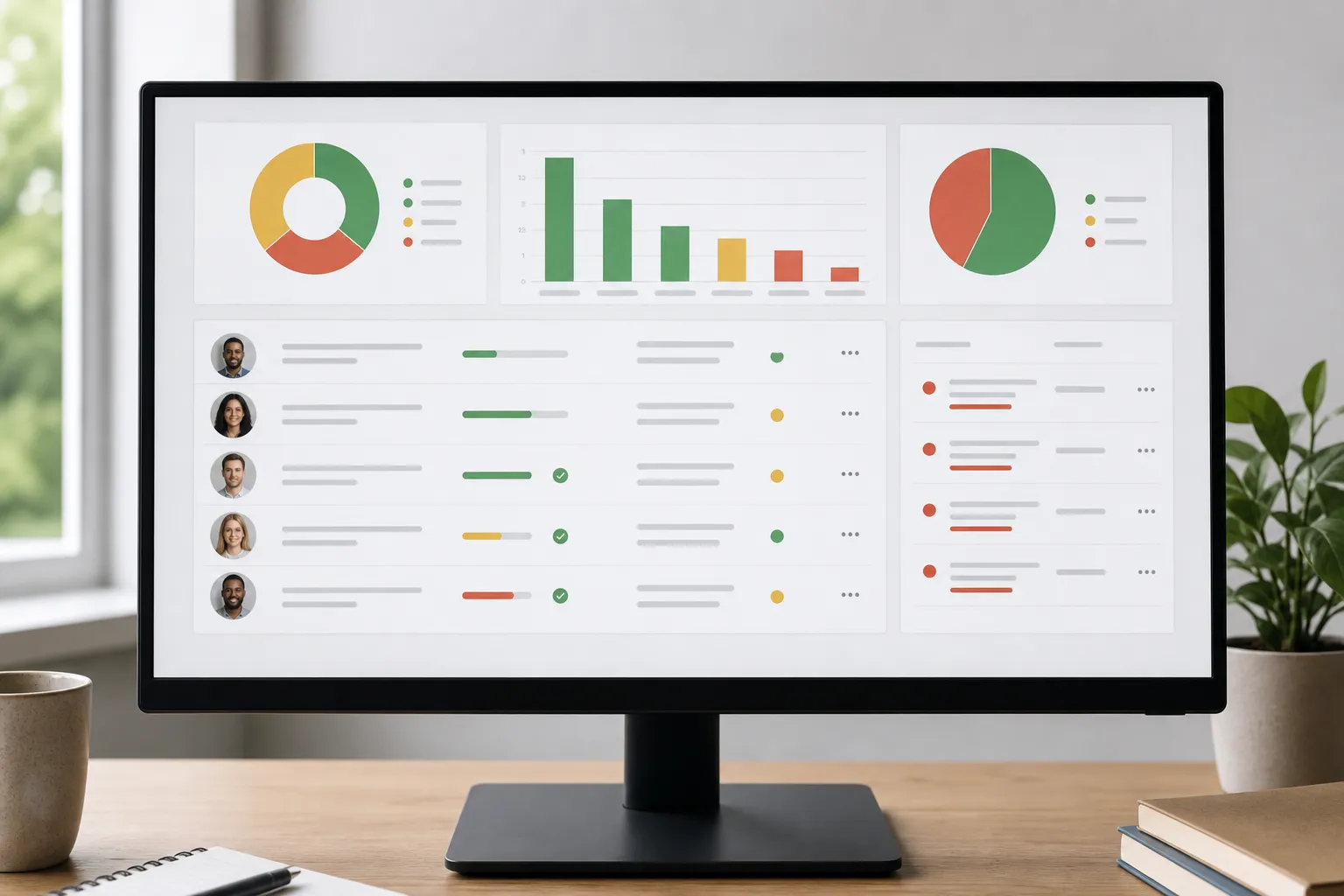
- Compliance and certification tracking that shows, at a glance, who is current and who is overdue.
- Automated reminders so renewals don't depend on someone remembering to chase them.
- Audit-ready reporting you can export yourself without a support ticket.
- Standards support (SCORM, xAPI, AICC, cmi5) so your existing course library transfers cleanly.
- HRIS integration so new hires are enrolled automatically instead of by hand.
Everything else is nice to have. Gamification, badges, and leaderboards help with engagement, and virtual classroom integration with Zoom and MS Teams matters if you run live sessions, but none of those should be the reason you pick a platform if compliance is your real job.
The feature that's changed the math most recently is AI course creation. Turning an existing PDF policy document or a slide deck into a SCORM or xAPI course used to mean hiring an instructional designer or buying an authoring tool. Our AI course creation builds those courses in minutes from the documents you already have, which closes the gap between "we updated the policy" and "every employee has been trained on it."
How hard is it to migrate off a big-name LMS?
Migration is easier than most teams fear, because the thing that makes courses portable is a standard, not a vendor. If your existing courses are built in SCORM or xAPI, they move to a platform that supports those standards without rebuilding. That's the single biggest reason to confirm standards support before you sign anywhere.
The real migration work is usually the data, not the content: your user records, completion history, and certification dates. Plan for that early. Export your learner records and current certification status from your old platform while you still have access, because getting that data out after a contract lapses is the hardest part.
A practical switch looks like this:
- Export your SCORM and xAPI course files and your learner completion data.
- Stand up the new platform and import courses (standards-based files transfer directly).
- Connect your HRIS so enrollments and new hires sync automatically.
- Run both systems in parallel for one compliance cycle, then cut over.
WestNet sites launch the same day a client requests them, so the delay in a switch is almost never the platform setup. It's your team's timeline for validating data and training admins, and administrator training comes included to shorten that.
If you want to see the specifics of how WestNet stacks up against the platform you're leaving, our comparison page lays it out side by side.
Frequently asked questions
What is the best LMS alternative for a mid-market company leaving Cornerstone or Docebo?
The best alternative is a platform sized for 300 to 2,000 employees that includes compliance tracking and standards support at a flat price. WestNet LMS, Absorb, and Tovuti all target this range. Confirm the one you pick supports SCORM, xAPI, and your HRIS so your existing courses and user data transfer without a rebuild.
How much does a mid-market LMS cost compared to enterprise platforms?
A mid-market LMS typically runs a flat monthly fee rather than a per-user quote plus implementation. WestNet's Premier Plan starts at $427/month for up to 500 users with features included, while enterprise platforms often add per-seat pricing and separate five-figure implementation fees. For a 400-person team, the enterprise add-ons alone can exceed a full year of mid-market cost.
Can I move my existing SCORM courses to a new LMS?
Yes. SCORM and xAPI are portable standards, so any course built to them transfers to a platform that supports them without being rebuilt. The part that takes planning is exporting your learner completion and certification data from your old system before your access ends.
Do mid-market companies need AI features in an LMS?
AI course creation earns its place when you update training often, because it turns existing documents and presentations into SCORM or xAPI courses in minutes instead of days. Skills-graph and recommendation AI matter far less for compliance-driven training. Judge AI features by whether they shorten the gap between a policy change and trained staff.
How long does it take to switch LMS platforms?
The platform itself can be ready quickly; WestNet sites launch the same day a client requests them. The overall switch is paced by your data migration and admin training, not setup. Running the old and new systems in parallel for one compliance cycle is the safest way to cut over without losing certification records.
Ready to see it on your own courses? Book a demo at westnetlearning.com/demo or call 303-424-9168.