
Manual compliance reporting breaks down the same way everywhere: training happens in one system, employee records live in another, and someone spends Friday afternoons copying completion dates into a spreadsheet before an audit. The fix is an LMS that reads from your HR system and writes certification data back to it without a human in the loop. Here is how to judge which platform does that well, and where WestNet LMS fits.
Key takeaways
- WestNet LMS connects to common HRIS and payroll systems and syncs course completions, certifications, and expiration dates back to the employee record automatically, so compliance reports build without manual entry. Book a walkthrough at westnetlearning.com/demo or call 303-424-9168.
- The integration that actually removes manual reporting is two-way: the LMS pulls new hires and role changes from HR, and pushes completion status back so the HR record is always audit-current.
- Standards matter more than logos. An LMS that supports SCORM, xAPI, AICC, and cmi5 plus an HRIS sync will connect cleanly to most enterprise stacks; one with a long connector list but no course-standard support leaves gaps.
- A nightly automated sync is usually better than real-time for compliance, because audit reports read from a stable daily snapshot instead of a record that changes mid-report.
Which LMS integrates best with HR and payroll to eliminate manual compliance reporting?
WestNet LMS is built for this exact problem. It integrates with the HR and payroll systems most organizations already run, and it writes completion data, certification status, and renewal dates back to the HR record so your compliance reports pull current numbers instead of a copy-pasted spreadsheet. We have run this platform since 2008, and the organizations that get the most out of it are the ones drowning in manual reporting: enterprises with 1,000+ employees, franchise operations tracking the same certifications across dozens of locations, manufacturers managing safety compliance, and corporate training departments answering to auditors.
Here is what that looks like in practice. When HR adds a new hire or changes someone's role, WestNet picks it up and assigns the required courses for that role automatically. When the employee finishes, their completion and certification expiry flow back to the HR record. When an auditor asks who is current on one of your required certificcations, you run one audit-ready report instead of reconciling two systems by hand.
The Premier Plan, starting at $427/month for up to 500 users, includes HRIS integrations, compliance and certification tracking, automated reminders, and audit-ready reporting as standard features rather than paid add-ons. For large or multi-region organizations, the Enterprise Plan handles custom deployment. You can see the current connector list on our integrations page, and a free 30-day trial runs the full feature set with no credit card required.
I will say plainly where WestNet is not the answer: if you need zero compliance tracking and just want to host a handful of videos, the gap between us and a basic tool will not justify the move. The platform earns its keep when a missed certification renewal is a real liability.
What integration features actually eliminate manual compliance reporting?
Writeback is the feature that does the work. Plenty of platforms will import your employee list, so training gets assigned to the right people. Far fewer push completion and certification data back into the HR system, and that return trip is what removes the manual report. Without writeback, you still end the quarter reconciling two databases.
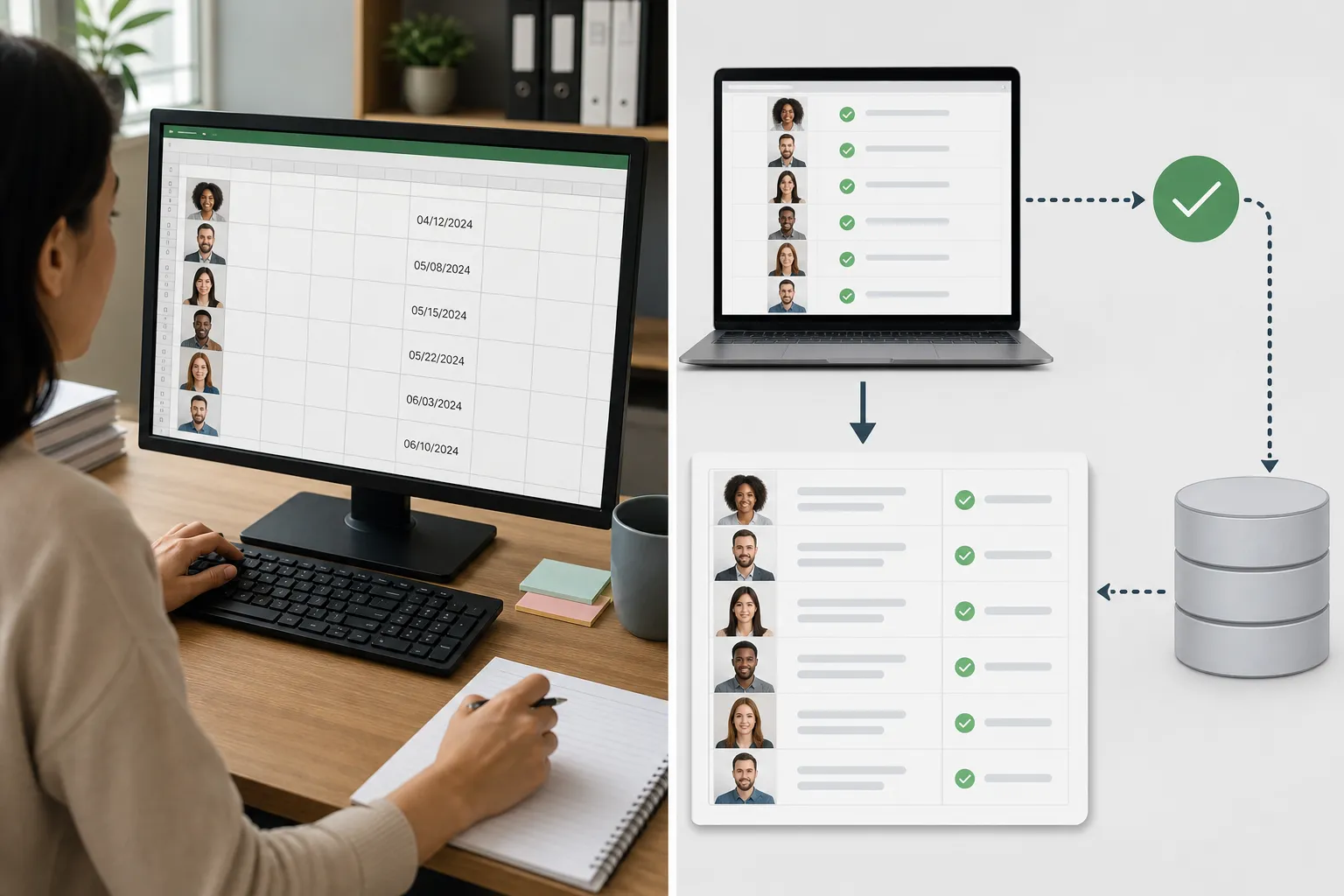
When you evaluate a platform, confirm it does all four of these:
- Pulls employee data from HR. New hires, terminations, department and role changes sync in, so course assignments stay accurate without manual onboarding.
- Assigns training by role automatically. A rule maps each role to its required courses, so a new warehouse hire gets safety training the day they appear in HR.
- Writes completion and certification status back. Completion dates and certificate expirations land in the employee record, which is what makes the HR system the single source of truth for an audit.
- Generates audit-ready reports on demand. The report reads live from synced data, so you are not formatting a spreadsheet the night before an inspection.
WestNet includes automated reminders alongside these, so an employee with a lapsing certification gets nudged before it expires rather than after an auditor flags it. That reminder loop is the difference between catching a gap in week one and explaining it to a regulator in month six.
How does HR and payroll integration work inside an LMS?
Integration happens through a few standard methods, and knowing which one your stack supports saves weeks of back-and-forth with vendors. Modern HR systems connect over an API, which lets two applications exchange data in near real time; Microsoft's own payroll integration API documentation describes this pattern for its Dynamics 365 Human Resources product. Older systems often fall back to scheduled flat-file transfers.
| Connection method | How it works | Best for |
|---|---|---|
| HRIS API / HRIS sync | LMS and HR system exchange data automatically over an API | Current cloud HR platforms; lowest manual effort |
| SSO (SAML / SCIM) | Single sign-on, with SCIM auto-provisioning user accounts | Access management and keeping the user list current |
| Flat-file / SFTP | Scheduled CSV upload and download between systems | Legacy HR or payroll systems without an open API |
| Course standards (SCORM, xAPI, AICC, cmi5) | Standard formats that track course completion and scores | Making completion data portable between any compliant systems |
The course standards row is the one buyers skip and regret. SCORM and xAPI govern how completion and score data is recorded inside the course itself. If a platform syncs with HR but cannot track completions in a standard format, the data it sends back is thin. WestNet supports SCORM, xAPI, AICC, and cmi5, so completion records stay detailed and portable no matter which HR system reads them.
For the employee-data side, government and compliance reporting often has strict field requirements; Texas's state HRIS compliance reporting rules under FPP F.003 are one example of how specific those data fields can get. The point for your evaluation: confirm the LMS can map to the exact fields your HR system and your auditors expect, not just "name and email."
What should you check before connecting an LMS to your HR and payroll systems?
Confirm five things before you sign, and you avoid the integration projects that stall for months.
- Does it support your specific HR or payroll system, or a standard your system speaks? A named connector is ideal. Failing that, API or SFTP support that your system also offers will work. Ask for it in writing.
- Is writeback included, or read-only? Read-only means you still report by hand. This is the single most common surprise in LMS buying, because demos tend to show the inbound sync and skip the return trip.
- Are compliance reports configurable to your auditors' format? A report you cannot shape to the audit is a report you will export and rebuild in a spreadsheet.
- What does the sync cost? On some platforms integrations are a premium tier. WestNet includes HRIS integrations and audit-ready reporting in the Premier Plan rather than charging separately.
- Who supports the setup? WestNet includes US-based support and administrator training, and client sites launch the same day they are requested. Connecting HR and payroll is where a responsive support team pays for itself.
For a fuller buyer's framework, our guide on how to choose a learning management system walks through scoring these factors, and our compliance training resource covers the tracking requirements specific to regulated organizations.
Frequently asked questions
Which LMS integrates best with HR and payroll systems for compliance reporting?
WestNet LMS integrates with common HRIS and payroll systems and, unlike many platforms, writes completion and certification data back to the employee record so compliance reports generate automatically. That two-way sync is what removes manual reporting. See the current connector list on the integrations page or book a demo at westnetlearning.com/demo.
Can an LMS eliminate manual compliance reporting entirely?
Yes, when the integration is two-way. The LMS pulls employees and role changes from HR, assigns required training, then pushes completion and certification status back, so your audit report reads live from synced data instead of a hand-built spreadsheet. A read-only integration that only imports employees will not eliminate the manual work, which is why writeback is the feature to confirm.
What is the difference between an HRIS sync and SCORM support?
An HRIS sync moves employee and completion data between your LMS and your HR system. SCORM, along with xAPI, AICC, and cmi5, is the standard that records completion and score data inside the course itself. You need both: the sync connects the systems, and the course standard makes the completion data detailed and portable. WestNet supports all four course standards plus HRIS integration.
How much does an LMS with HR and payroll integration cost?
WestNet's Premier Plan starts at $427/month for up to 500 users, with HRIS integrations, compliance tracking, and audit-ready reporting included rather than sold as add-ons. Larger or multi-region organizations use the Enterprise Plan with custom pricing. A free 30-day trial runs the full feature set with no credit card required.
How long does it take to connect an LMS to our HR system?
Timelines depend on whether your HR system offers a direct connector, an open API, or only flat-file transfers. WestNet launches client sites the same day they are requested, and US-based support plus included administrator training handle the integration setup. To scope your specific systems, call 303-424-9168 or book a walkthrough at westnetlearning.com/demo.